
TL;DR
Feeling behind with AI is normal, and it's a perfectly good place to start.
Hand Claude the repetitive design work first, then spend the time you get back on the creative stuff.
End every day by asking Claude what it got wrong, and turn the answers into skills.
Keep a human on accessibility. Claude is great at colour contrast, but screen reader and keyboard testing needs people.
AI FOMO? Georgia's been there
When we went AI native back in April, the shiny new projects got AI first. Fresh code, fresh designs, AI baked in from day one.
Georgia's been a Product Designer at Cube for seven years, and she looks after the UX (user experience) and UI (user interface) on a lot of our long-standing client products: apps that have been out in the world for years, doing important jobs for real people.
Big up our legacy legend 🙌
So while her teammates were showing off what Claude had built them, Georgia was watching from the side with a serious case of AI FOMO. And a new AI tool seemed to drop every five minutes, with the pressure to learn it before you'd even found a problem for it to solve.
"I think the hardest thing at the beginning was like, how are we going to keep up?"Georgia Wilkins, Senior Product Designer, 3 Sided Cube
Then there's the elephant in every design studio. If the hands-on work you love is exactly what AI is meant to be good at, will it take the fun bits? And does a designer still matter when Claude can build the screens? Georgia wondered too.
Turns out, very much yes. Handing Claude the repetitive stuff has given her more time to think, problem solve and actually design.
"I'm finding there are more creative problems to solve now."Georgia Wilkins, Senior Product Designer, 3 Sided Cube
Hard relate? Good news! We've got your back. Georgia's gone from feeling behind to rebuilding whole design systems with Claude, and she's spilling her eight top tips for adopting Claude into the design process.

1. Borrow what's already working
Georgia didn't start by reading every AI newsletter on the interwebs (bless anyone who tries). She started by being nosy. The Cubes on newer projects were already sharing what they'd built in ticket reviews, our Happy Half Hours and general office chit chat, so she watched, asked questions and borrowed the best bits.
If your team's further along than you, that's not a problem. That's a free demo.
2. Test it with a rubbish prompt (on purpose)
Most people write Claude a lovingly crafted essay on day one. Georgia gave it the prompt version of a client saying "make it pop", just to see how far it'd get on its own.
"I gave it a pretty rubbish prompt to begin with, just because I wanted to see what it could do with not much. And I was so pleasantly surprised with how far it got me."Georgia Wilkins, Senior Product Designer, 3 Sided Cube
It's a low-stakes way to find out what you're working with, and it'll show you where Claude needs a hand quicker than any tutorial.
3. Plug it into the tool you already use
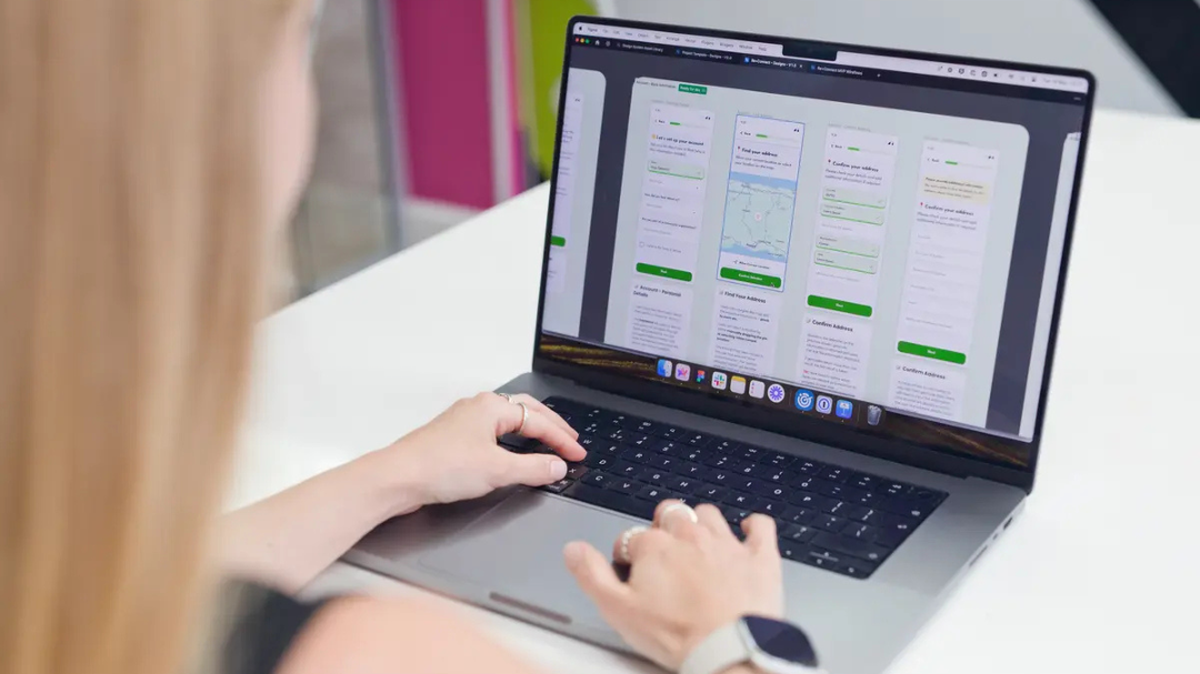
The real shift came when she connected Claude to Figma. Instead of describing designs in a chat window, Claude could build them straight into her files, using what it knows about the existing designs and code. Now it gets her about 90% of the way there, and she spends the last 10% refining and prototyping.
"A lot of the time that I would have spent in design software is actually spent in Claude."Georgia Wilkins, Senior Product Designer, 3 Sided Cube
Pro move: she sets up a few agents to handle different jobs in the same file, with a review step where Claude checks its own work. It took some trial and error, but that's where things properly sped up.
4. Give it the boring jobs first
One of our clients has a whole family of apps with us. They were built over years and slowly drifted apart, and had a slightly different button in every app (designers, we know we know, stop clutching those pearls). Updating a design system across all of them used to take forever. In Georgia's words, "It was very manual."
Now Claude takes the context from each design file and rebuilds it in an AI-friendly way, so the apps share the same components. Then Apple dropped Liquid Glass, and every single app needed updating for the same deadline. Talk about timing. With shared components already in place, the team reused far more and repeated far less.
She's also feeding the design system into a demo app the developers can build from (more deets on that from our hack day here). When she marks a design as ready for development, Claude starts building the UI in the background, so developers can go straight to the functionality.
If a job's repetitive and follows clear rules, hand it over. That's where AI earns its keep.
5. Spend the time you get back on the fun stuff
So, did the robots steal the fun bits? Georgia was convinced they would.
"I don't really miss it at all and I thought I really would. So that's been a really pleasant surprise."Georgia Wilkins, Senior Product Designer, 3 Sided Cube
Instead, she's got time for the creative problems that never make the cut. Case in point: her demo app now has its own custom splash screen (the screen that pops up for a second while an app loads). On a client project, that would lose to a more important feature every single time. With Claude, all it took was five minutes and telling it to go wild.
Every designer has a list of little touches that got descoped. AI won't have the ideas for you, but it might finally give you the five minutes.
6. Give Claude homework every day
Claude kept tripping up in the same places on repeat tasks, on things that would take Georgia seconds. So she started a daily wash-up.
At the end of each day, she asks Claude to list what it got wrong and what context it needs to nail it tomorrow. Those answers become skills (saved instructions Claude follows every time), and the same mistakes stop coming back. End-of-day report cards, basically. Gold stars optional.
"Sometimes you kind of have to show Claude what good looks like."Georgia Wilkins, Senior Product Designer, 3 Sided Cube
So she shows it: here's the design, here's the code. She's also specific about what matters for the job in front of it. When Claude helps write tickets, it gets only the accessibility criteria that apply to that component, not the whole rulebook.

7. Rein it in (and yourself)
Fair warning: Claude gets carried away. So, it turns out, do designers.
"I got a bit overexcited to begin with, and I was like, just build something. And the UX was awful."Georgia Wilkins, Senior Product Designer, 3 Sided Cube
So she went back to how she'd run any client project: strip it back, prioritise, get the foundations right.
Claude needed the same talk. When it joined the testing process, it discovered a deep love of asking questions, and Georgia's notifications went off like a fire alarm. Some of the questions were about dark mode. The app doesn't have dark mode. Lord knows AI loves a waffle. The fix was tighter instructions and less room to wander, and knowing that if Claude isn't speeding a task up, it's not the right tool for that one.
Then there's you. Claude doesn't come with an "Are you still watching?" button, so Georgia's had to be her own. She says it can feel "like doom scrolling sometimes", so she keeps only a handful of chats open at once (every one needs checking) and leaves the bigger jobs running in the background until the morning.
8. Keep a human on accessibility
Accessibility is non-negotiable for us and our clients, and it's where Georgia holds the line.
"Claude doesn't catch everything."Georgia Wilkins, Senior Product Designer, 3 Sided Cube
The guidelines are broad on purpose, because they have to work for websites, apps, and whatever comes next. Claude takes them very literally, flags things that don't apply, and can miss how a real person moves through a whole flow. So testing with screen readers and keyboards stays with people.
Where Claude does shine is colour contrast. After the design system upgrades, it checked that nothing had slipped below the Web Content Accessibility Guidelines (WCAG) AA standard we hold ourselves to. Off-the-shelf tools for that kind of check tend to be pricey, and the cost adds up when you're updating apps all the time, so building simple checks yourself is a real saving. Claude even hands over a spreadsheet of findings for the team to work through, and every time they confirm or reject one, the reason goes back in so it gets sharper next time.

So, would she go back?
Every Factory Rebuild chat ends on the same question: if a big red button could take her back to March, before we went AI native, would she press it?
Nope.
What sealed it was one of her automations breaking, which meant doing that job by hand again. Even a quick trip back to the old way was plenty.
"It gets boring when you're doing the same thing every day. I very much prefer automating a lot of my boring tasks."Georgia Wilkins, Senior Product Designer, 3 Sided Cube
So, will AI take the fun out of design? Not on Georgia's watch. Claude can have the repeat jobs and the button-by-button updates. The fun bits and the design delighters are all hers.
Straight from the Cubes
Want more from our Factory Rebuild? Get the stories straight from the Cubes:
You shall not pass, AI: meet the Gandalf of our Factory Rebuild
How a marketing team goes AI native (in an office full of developers)
Questions clients really ask when their software agency goes AI native
No code, no problem: how our Support team built their own AI tools
Everything is awesome? A developer's honest take on going AI native
Disclaimer: We used AI in the process of writing this blog, but a human was still at the centre! We'd be poor advocates for going AI native if we didn't use AI to help write about it. The story is ours, the quotes are our team's own words, and every line got the human pass 💚
FAQs
Will AI replace product designers?
Not going by Georgia's last six months. Claude gets her about 90% of the way on a lot of design work, but the refining, the UX judgement and the accessibility testing still need a designer. What's changed is where her time goes.
How do designers use Claude with Figma?
Georgia connects Claude to Figma so it can build designs straight into her files, using the context of the existing designs and code. She leans on it most for repeat work, like rolling a design system out across several apps, then refines and prototypes herself.
Can AI do accessibility testing on its own?
Not fully. Claude is great at colour contrast checks and gives you a solid list of possible issues, but it reads the guidelines too literally and can miss how someone moves through a whole flow. Screen reader and keyboard testing still needs people.
Published on 22 October 2026, last updated on 22 October 2026